Image manager - Automating management with AI
Image manager - Automating management with AI
The Wall Street Journal's Image Manager
One of six tools inside the Newsroom Suite focused on the discovery and use of images for breaking news articles.
Problem
Editors, Reporters, and Journalists find themselves frustrated with a long tedious workflow to find & edit the right images for their breaking news stories. Meanwhile, our business stakeholders aren't convinced that updating our image system will make a real difference.
Goal
We wanted to clean up layout to make informed intentional decisions easily, simplify workflow for intuitive editing, and increase discoverability of desired content.
Role
Senior Product Designer
Contribution
Creative direction, Product strategy, User experience, Visual design, Web development, Design systems
Quick Preview
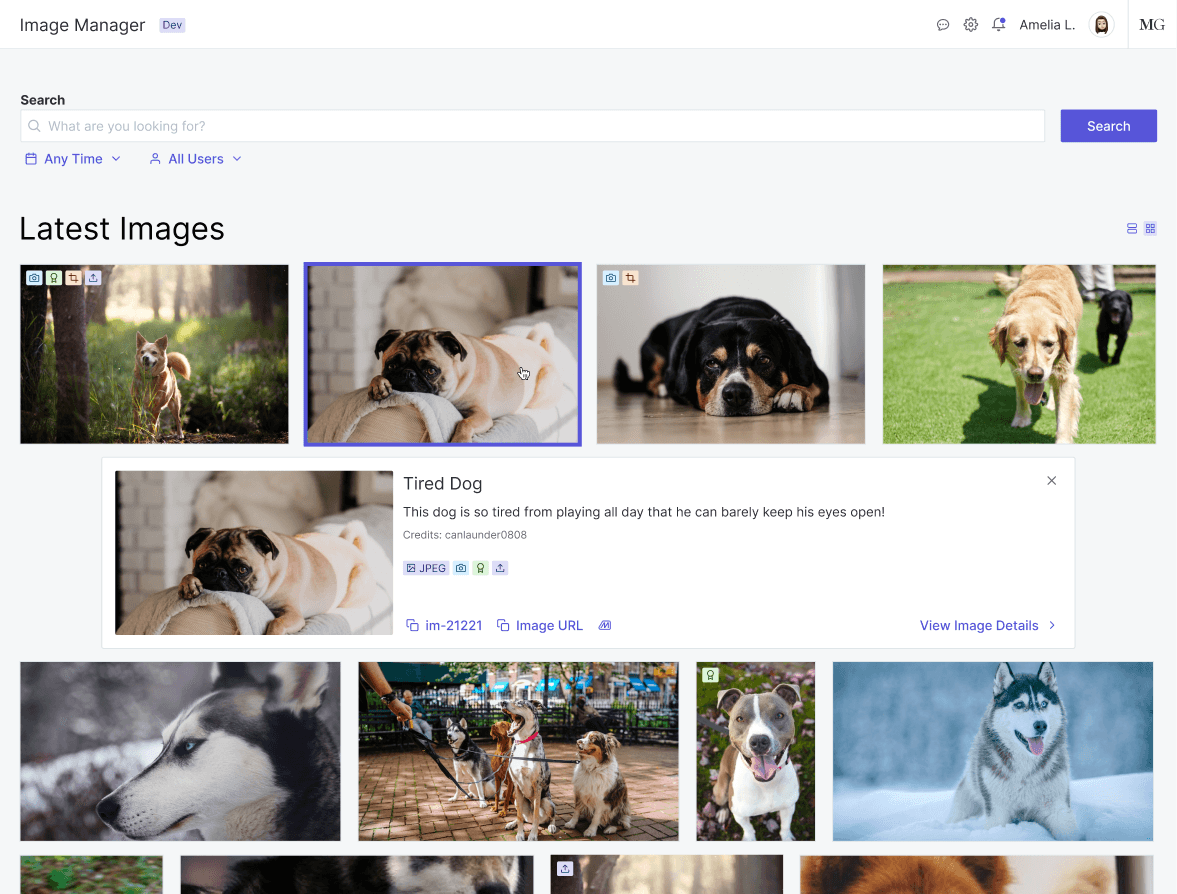
Photo editors and Journalists often look for specific info on images like metadata, descriptions, etc and want to quickly take action. In our case, action meant coping an ID #, so I created this 1-click quick preview for the highest ROI info + actions so they can move as fast as the breaking news they're writing about.
AI Crop Preview
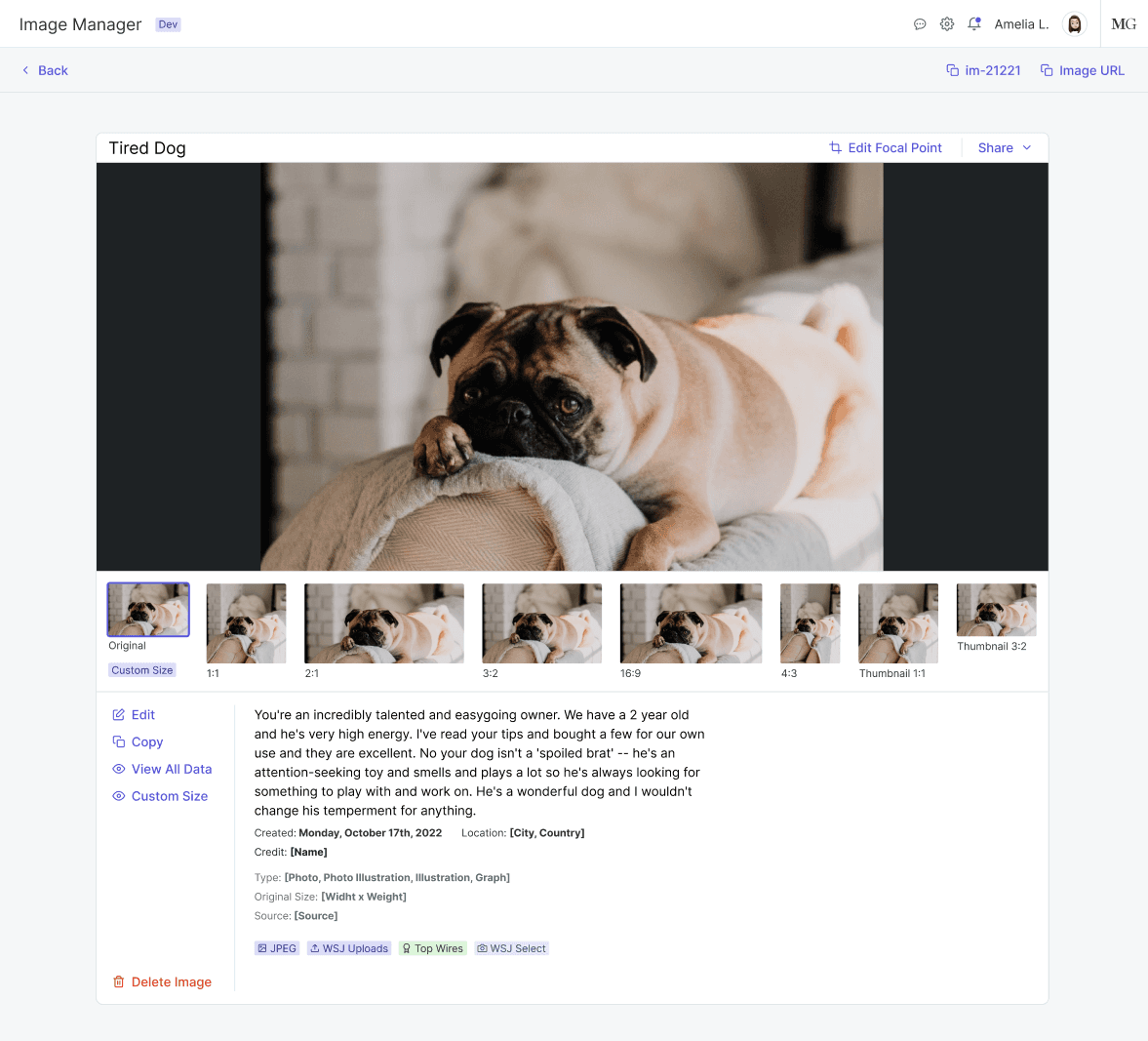
In situations where speed might not be of the essence, users can visit the image details page to see more information. Primarily, they want to make sure before they use an image that across all sizes, it's cropped correctly. Especially, more so now that as part of the image uploading process is AI cropping. To ease worries and build excitement, I made a skimmable crop selection bar that editors use to quickly check if the AI has done it's job before they use it for a story.